
Framework-agnostic web components
Build AI-native apps that run anywhere.
The web UI layer for AI agents. Bring your model, SDK, or your own agent loop — drop in framework-agnostic components for streaming, tool calls, reasoning, and artifacts, in any app.
Open source and MIT licensed — yours to use, fork, and ship.
npm i @kitn.ai/ui One component model — every framework
- React
- Vue
- Svelte
- Angular
- Solid
- HTML

You bring the model.
AI/UI brings the interface.
Streaming, tool calls, reasoning, generative-UI cards, artifacts, and voice — the agent UI, already built and battle-tested. Wire up your model or harness and ship.
Built for
AI-native apps
AI/UI is the web UI layer for AI agents and harnesses — streaming, tool calls, reasoning, generative-UI cards, and artifacts. The hard parts, already built as framework-agnostic web components you wire to your model or agent loop and drop into any app.
Browse componentsConversation
Token-by-token streaming, rich markdown, code highlighting, and message actions. The chat surface, done right.
Agentic UI
Tool calls and reasoning render inline — show the work as your agent thinks, calls tools, and acts.
Generative UI
Confirmations, choices, tasks, and forms render as typed, interactive cards the model can drive.
Live preview
Preview live code, docs, and sites in a sandboxed panel — plus drag-and-drop files and image input.
Your harness has a backend.
This is the front-end.
Most agent harnesses are CLI or headless — the loop, the tools, and the model wiring are already done, but there's no web UI. AI/UI is that layer: framework-agnostic web components you point at your harness's stream. Bring your own loop; we render the chat, tool calls, reasoning, and artifacts.
Wire it to your agent- PiOpen-source agent harness + coding CLI
- OpenClawHeadless coding agent (ACP)
- Bring your own. Any agent loop, SDK, or model — AI/UI just needs a stream to render.
Ship any AI surface — not just a chatbox.
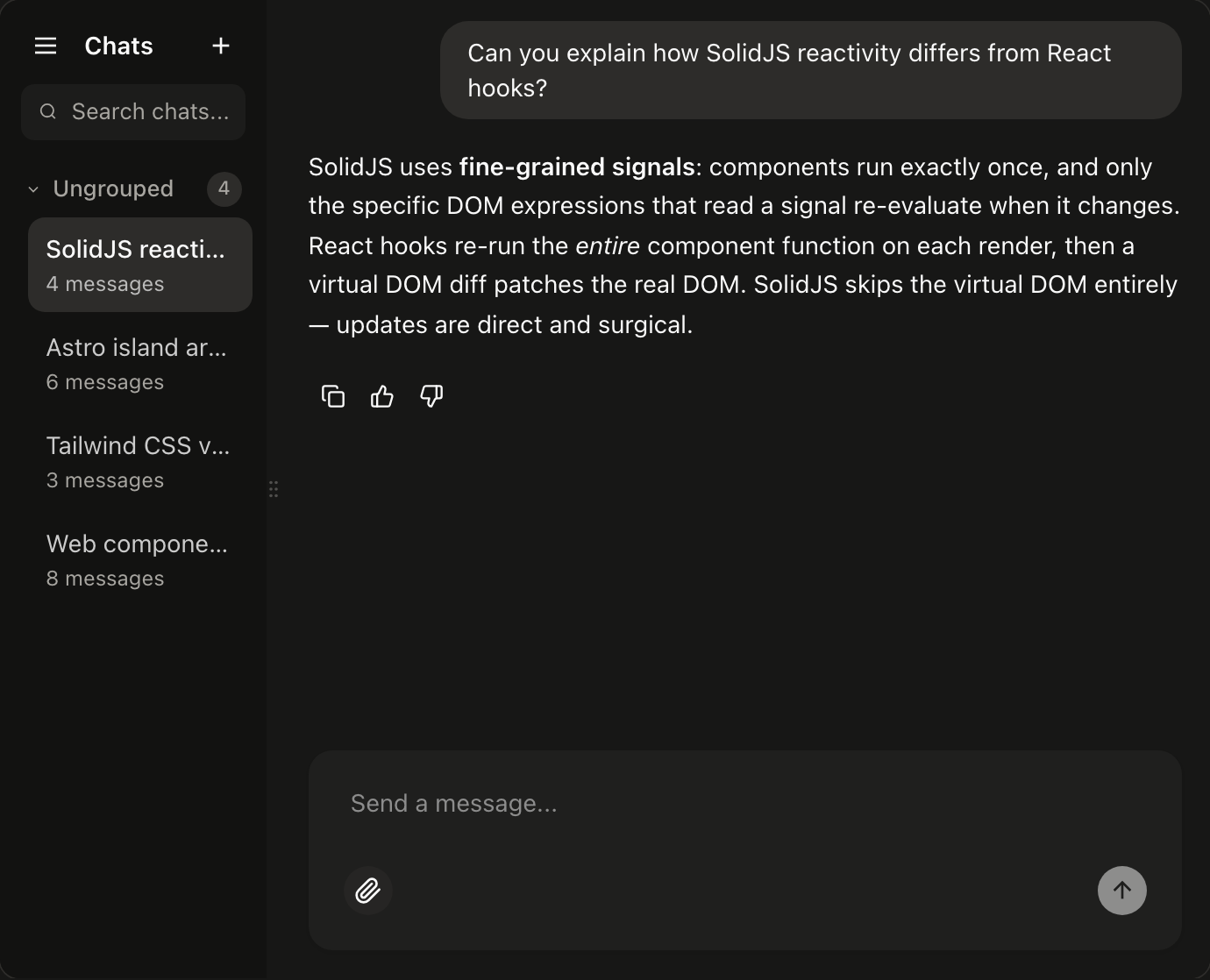
Build a real AI workspace
A collapsible conversation sidebar, resizable panes, and a file tree — the shell for a coding agent or an internal copilot.
See the example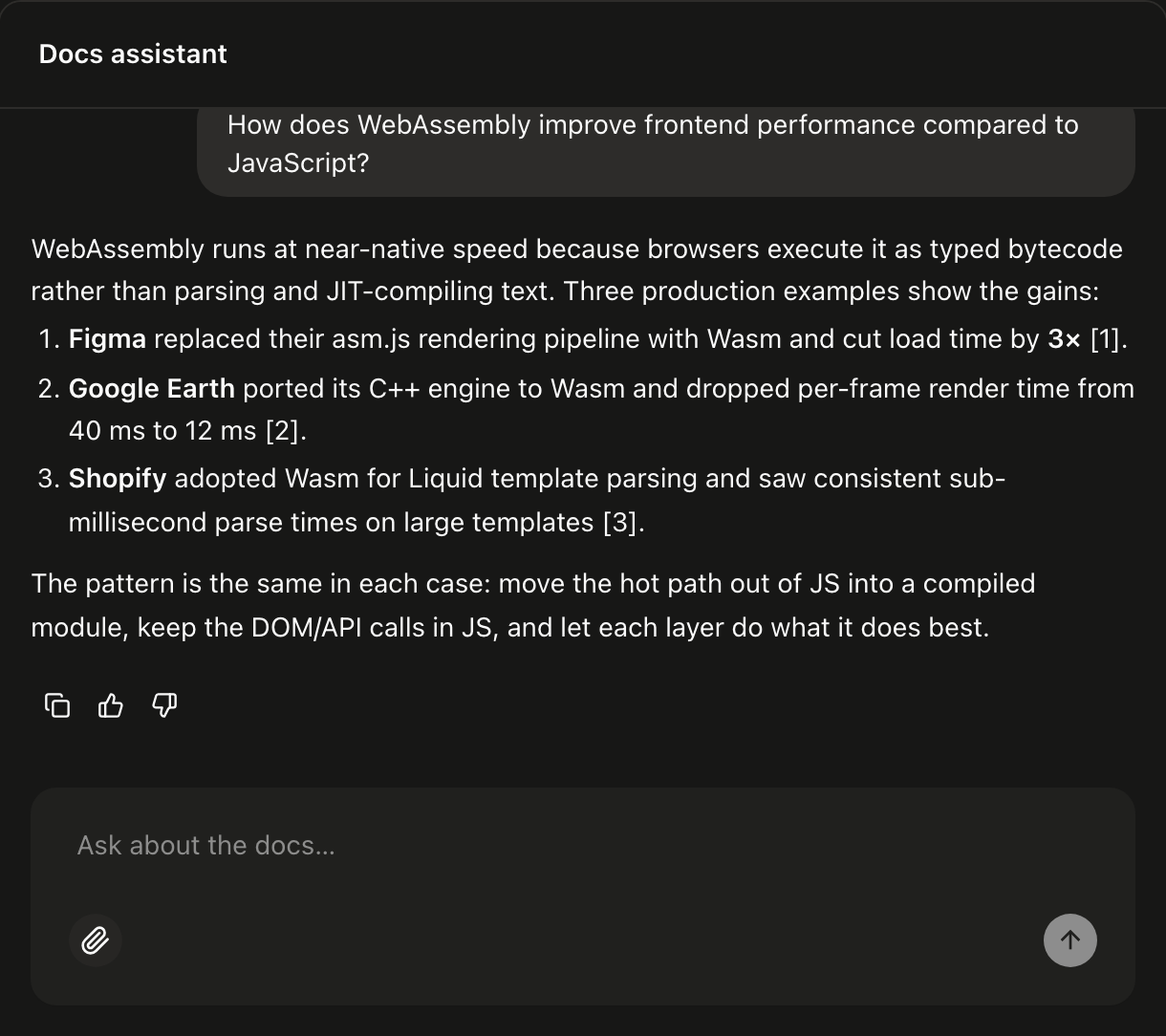
Answers that show their receipts
Stream grounded responses with sources and citations, so users can trust — and verify — what the model says.
See the example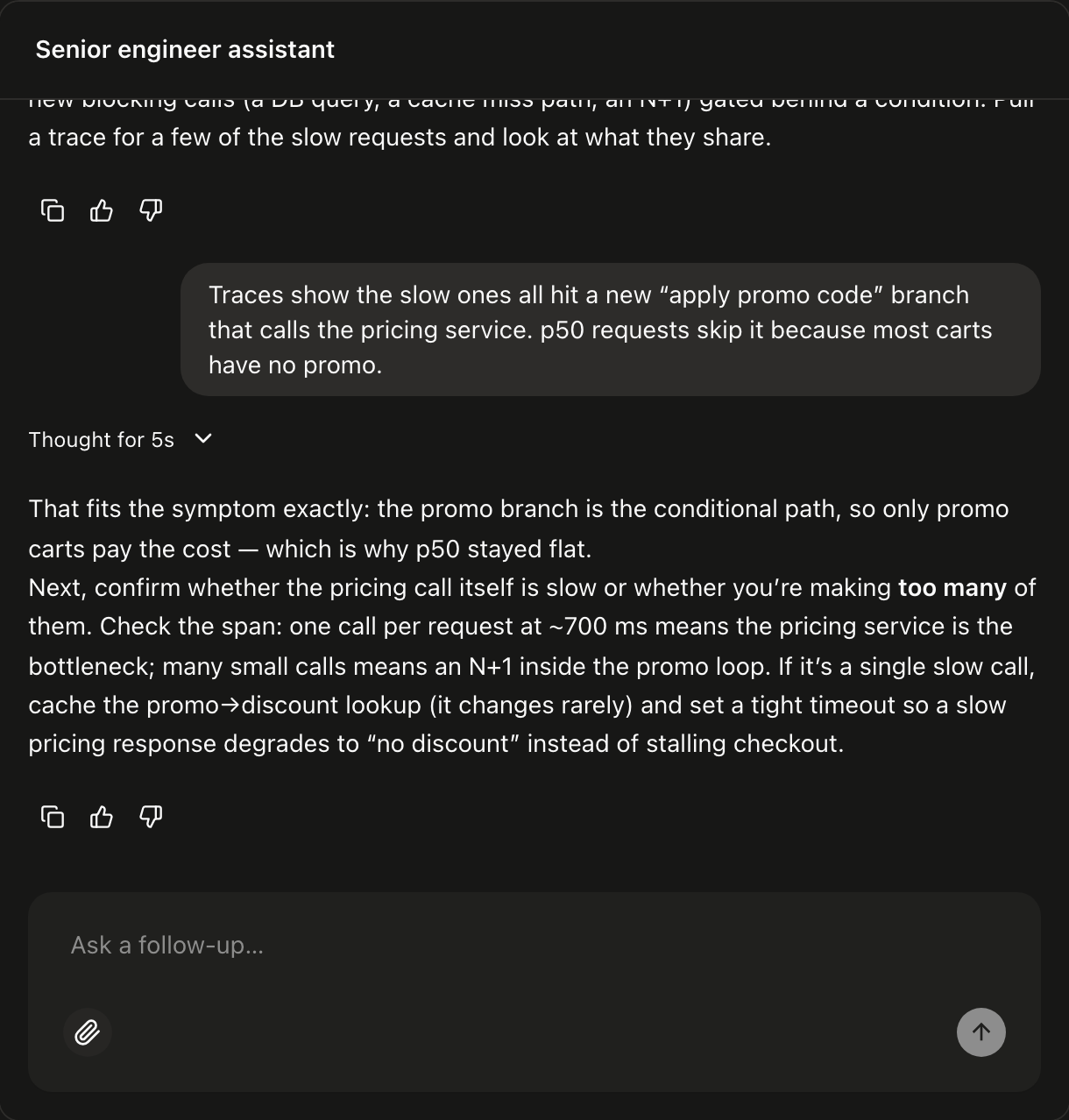
Show the work
Collapsible reasoning traces stream alongside the answer — perfect for debugging copilots and analyst agents.
See the example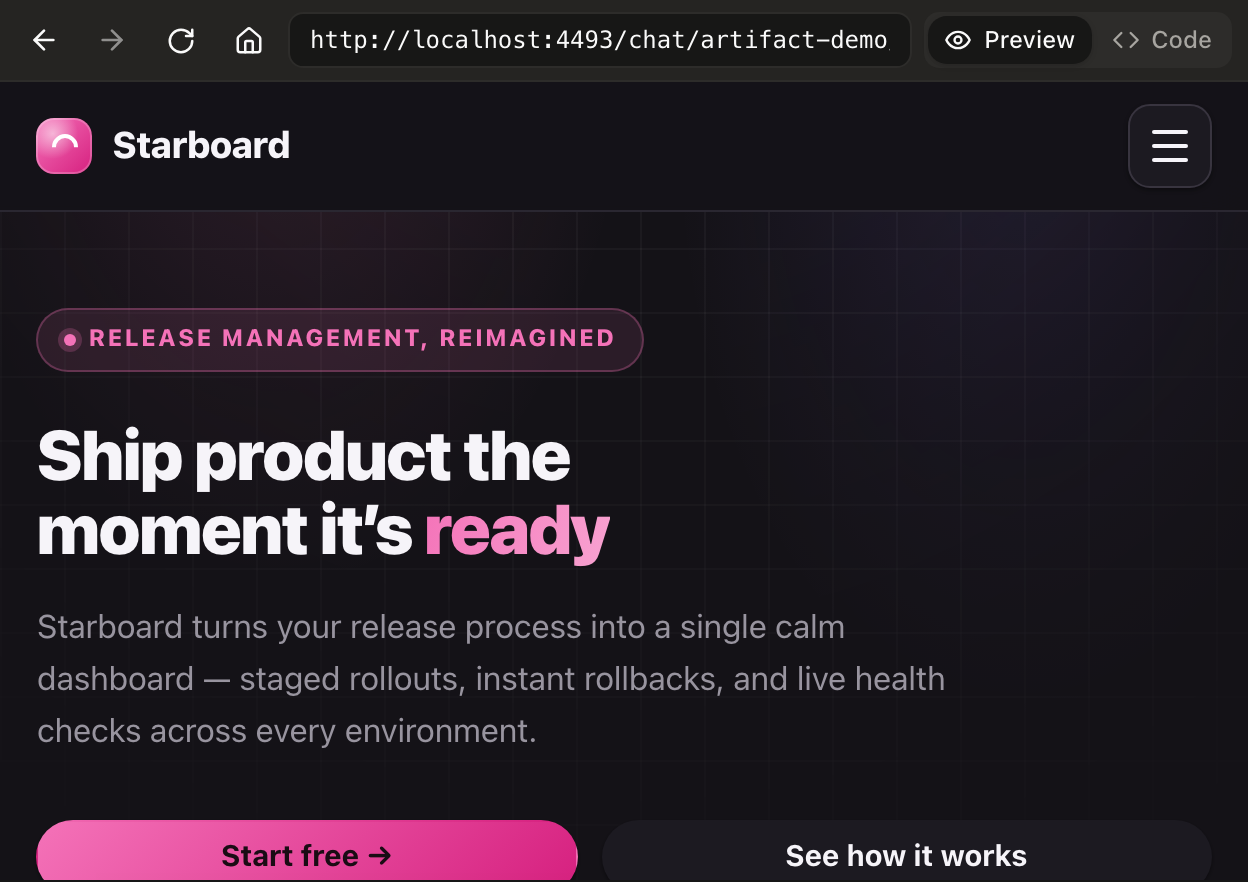
Render what the model makes
Preview generated sites, code, and documents in a sandboxed, resizable panel — the Claude- and ChatGPT-style canvas.
See the exampleUp and running — no build step.
The fastest path is a single <script> tag from a CDN — paste it
in and the custom elements register themselves. It's a custom element, so give
<kai-chat> a height — no wrapper needed. Prefer a bundler? Install from npm.
Either way, set messages in JavaScript to wire up your model.
- 01
Add the script
<script type="module" src="https://cdn.jsdelivr.net/npm/@kitn.ai/ui/dist/kai.es.js" ></script> - 02
Drop one in (give it a height)
<kai-chat id="chat" style="display:block;height:600px"></kai-chat>
<script type="module">
  // It's a custom element — needs a height; no wrapper required.
  // Registration is async, so wait for the element before setting properties.
  await customElements.whenDefined('kai-chat');
  document.getElementById('chat').messages = [
    { id: 'welcome', role: 'assistant', parts: [{ type: 'text', text: 'Hi! Ask me anything.' }] },
  ];
</script>
- 01
Install
npm i @kitn.ai/ui - 02
Register the elements
import '@kitn.ai/ui/web-components'; - 03
Drop one in (give it a height)
<kai-chat style="display:block;height:600px"></kai-chat>
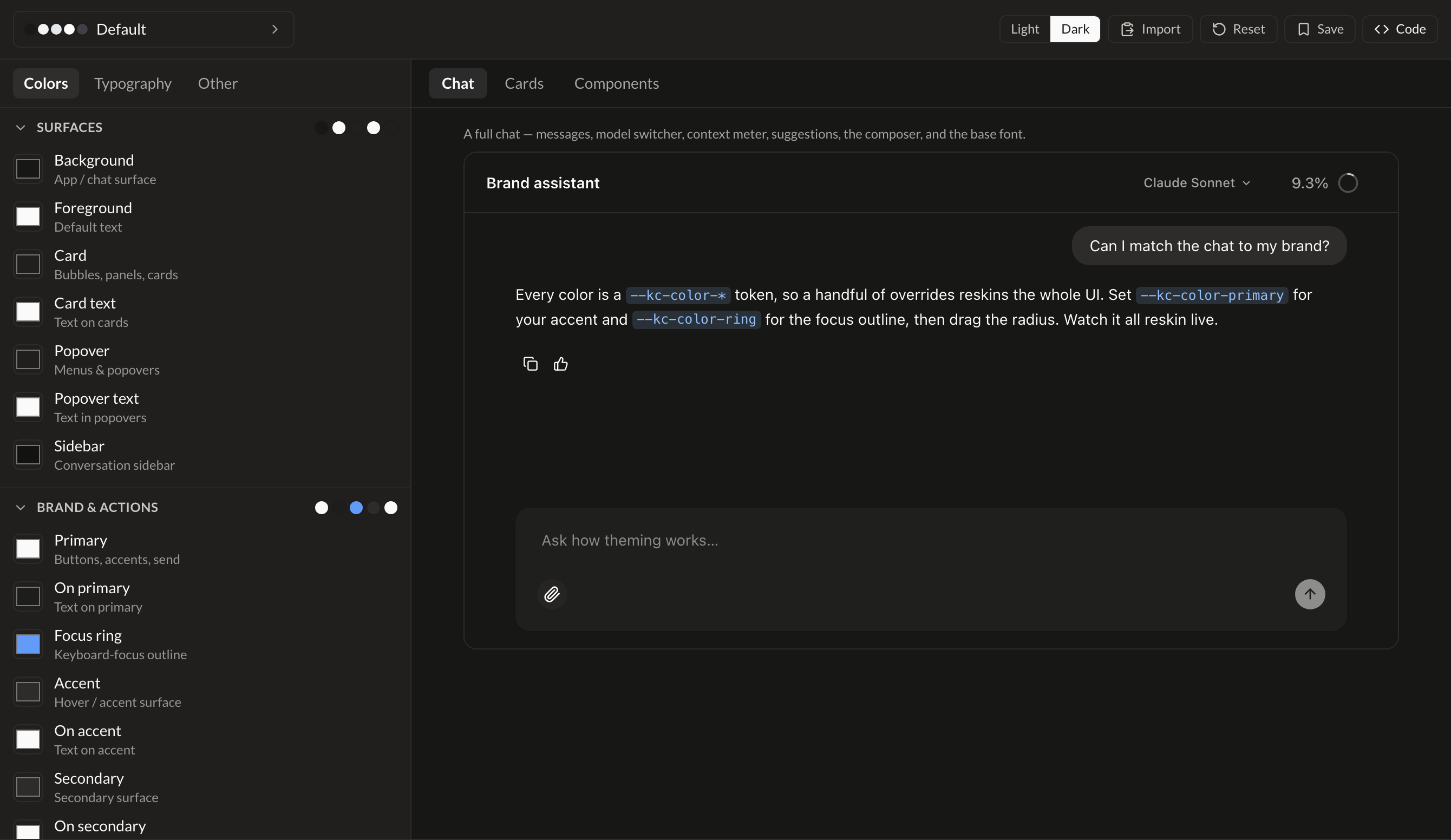
Match your brand — without forking anything.
Every color, font, radius, and shadow is a CSS custom property. Override a
handful of --kai-* tokens and the whole UI
reskins, light and dark. Or design it live: 40+ presets, font and shape
controls, and export-ready CSS you can paste straight into your app.
Start building your AI interface.
Open source, MIT-licensed, and ready for production. Install it, drop in a component, and wire up your model.
npm i @kitn.ai/ui